
Start with the home club, because Liga MX has no single ticket office
The safest way to buy Liga MX tickets in 2026 is to open the home club's verified website and follow its ticket link. Liga MX does not run one universal checkout for every stadium. Clubs control their home inventory and may use different providers, membership windows and mobile apps. A search result that looks official can therefore be the wrong route even when it advertises a real match.
Current club pages show the difference. Club América's 2026/27 AmePass is sold through Fanki. Tigres says its public single-game inventory for Apertura 2026 appears in Boletomóvil. Pumas events can appear in Ticketmaster México. Those examples are useful directions, not permanent league-wide assignments: a club may change its provider, use a separate system for a special match or open the stadium box office under event-specific rules. Begin again at the club page for every purchase instead of trusting an app that worked on a previous trip.
Use the club's own link to reach the authorized seller
First identify the home team on the current Liga MX schedule. The home club is normally listed first on Mexican fixture pages, although some international displays reverse the order, so confirm the stadium as well. Then type the club's known web address yourself or use its verified account, find “Boletos” or “Tickets,” and follow the outbound purchase link. Bookmark that route before sales open.
Ticketmaster México says tickets bought through its Mexico site, app and authorized centers are verified, but that promise covers events in its own system; it does not mean every Liga MX seat belongs there. The same boundary applies to Fanki and Boletomóvil. A provider is authoritative only when the home club connects that provider to the particular event. Save the club announcement, checkout confirmation and order number together so support can trace the transaction later.
Confirm the exact event before checkout
Football search pages routinely mix Liga MX men, Liga MX Femenil, youth matches, friendlies and fan events. Before choosing a seat, match six fields: both clubs, the men's competition, the home venue, the calendar date, the local kickoff time and the authorized seller. If even one field differs from the club's announcement, stop and verify. Venue checks are especially important when construction, sanctions or scheduling conflicts move a home game.
Also distinguish a single-match ticket from a season pass, hospitality package or parking credential. A low price can belong to a different team category or add-on, while an expensive listing may bundle several games. The order summary should name the match and seat area before payment. This two-minute identity check is the best defense against buying a genuine ticket to the wrong event—and it costs nothing.
On-sale timing changes by club, opponent and competition stage
There is no standard “Liga MX tickets go on sale” day in 2026. A home club may announce a regular-season match days before kickoff, give members an earlier window, or sell access through a season product months in advance. Rivalries and Liguilla rounds compress that process because the opponent or venue may not be confirmed until the previous games finish.
The useful habit is to monitor the club, not guess a date. Follow its official ticket page and verified social account, enable app notifications if offered, and create the required seller account before the announcement. Add the match to a personal calendar with two reminders: one to begin watching after the fixture is confirmed and another for the published sale time. Never interpret an empty event page as proof that a match is sold out; inventory may simply not be released.
Regular-season seats may appear only shortly before matchday
Tigres provided a clear 2026 example. On July 14 the club said it would reserve public inventory for each home game, beginning with its July 25 match against Atlético de San Luis. That was an 11-day lead, and later matches were to appear individually in Boletomóvil as the tournament advanced. This tells a traveler how one club operated at that moment; it is not a promise that Tigres—or another club—will always use an 11-day window.
Kickoff confirmation can also affect the release. Liga MX may publish a base calendar before broadcasters, venue operations and postseason results settle every detail. For a normal Jornada, begin checking after the preceding home match and increase monitoring during matchweek. For a Clásico, a final or an elimination game, start as soon as the matchup becomes possible and be ready at the stated opening time.
Season members and presales reshape availability
| Official 2026 example | Regular season | Liguilla treatment | Buyer lesson |
|---|---|---|---|
| Tigres 2026/27 renewal | 17 men's home matches across two tournaments | Priority to buy | Priority is not automatic admission |
| América AmePass 2026/27 | Home league games in Apertura and Clausura | Home Liguillas included | Read the exact product scope |
Those official products use different language, so “season ticket” alone does not answer whether playoffs are covered. Member presales, renewals and sponsor windows can reduce the seats remaining for general sale. Ticketmaster reported roughly 400,000 simultaneous users seeking a May 2026 Liguilla final while the club's stadium inventory was necessarily much smaller. If the 2026 playoff bracket produces a high-demand matchup, preparation matters more than repeatedly refreshing after the public allocation is gone.
Liga MX ticket prices need a live checkout, not a universal chart
A trustworthy Liga MX price is the total shown by the home club's authorized seller for a specific seat at a specific match. There is no fixed league tariff for 2026. The club, opponent, competition stage, seat zone, amenities and remaining inventory all affect the offer. A number copied from an old social post may be accurate history and still be useless for the next game.
Club América's official 2026/27 FAQ makes the principle explicit: its pass price varies by stadium zone, and availability changes. Its sales page also warns that list prices are subject to service charges. That is why this guide does not invent a broad “cheap to expensive” peso range. Such a range would combine different stadiums and products while hiding the amount a buyer actually authorizes.
Seat zone, opponent and stage drive face value
Compare like with like. Behind-goal upper seats, central lower sections, covered areas, club seating and suites do not provide the same view or services. A regular Jornada against a lower-demand opponent is not equivalent to a Clásico or Liguilla final. Open the stadium map, note whether the row is assigned, and compare at least two zones before checkout. The best value is the sightline and comfort you will actually use, not automatically the lowest face value.
For a season pass, divide the all-in price by the matches explicitly included. Do not count a possible home semifinal or final unless the terms include it. Conversely, do not compare a pass that includes Liguilla with one that offers only purchasing priority as if they were identical. Use the Apertura 2026 schedule to identify the home dates you could realistically attend before committing.
Build a total-trip budget beyond face value
All-in match cost = ticket face value + disclosed service/order fees + optional membership + card/FX cost + transport or parking.
Ticketmaster México's policy says service and order-processing charges may sit above the ticket price. Other platforms disclose their own totals at checkout. International visitors should ask their card issuer about peso conversion and foreign-transaction fees; those charges do not come from Liga MX. Parking may be a separate credential, and a paid club membership may grant early access without including the match seat.
Before pressing “Pay,” take a screenshot of the itemized order—not of the entry barcode—and record the total in pesos. For a group, calculate all-in cost per person, confirm the seats are together and check the order limit. This produces a useful budget even when prices move: it captures the exact offer in front of you without pretending that another club, date or section should cost the same.
A safe primary-market purchase takes five checks
Use one controlled path from the home club's page to the ticket displayed in the provider's app. The five checkpoints are: official route, correct account, exact event and seats, itemized total, and supported mobile credential. If the process stops at an email receipt or a picture of a QR code, it is not yet ready for the stadium gate.
- 1. Enter through the club: follow the ticket link for that home match.
- 2. Sign in deliberately: use an email and phone number you can access while traveling.
- 3. Recheck the basket: confirm event, venue, quantity, section and adjacent seats.
- 4. Read the final amount: review fees, currency, delivery method and refund terms.
- 5. Find the live ticket: verify where and when the app will display its barcode or QR.
Set up the correct account and payment method early
Create the seller account before a popular on-sale begins, verify the email address and store the login in a password manager. Club América's current AmePass instructions, for example, require a Fanki account and supported bank card. The same FAQ says entry uses the digital ticket in Fanki together with a valid Fan ID. That is one club's current workflow, so check whether your chosen event adds identity, card or ticket-limit conditions.
International buyers should make sure the card permits online purchases in Mexico and that its authentication prompt will reach them. Do not open multiple speculative accounts or exceed a published order limit; platforms can cancel orders that violate event rules. Use the attendee's accessible phone number where possible, then retain the receipt, order ID and support route offline.
Keep the ticket inside the supported mobile workflow
A digital ticket can be more than a static image. Tigres has described its phone-based season credential as a dynamic QR, while Ticketmaster notes that some mobile barcodes appear only closer to the event. Sign into the exact account used at checkout, install the official app from the device's app store and look for the event under “My Tickets.” When the platform offers a phone-wallet option, add the ticket before leaving reliable internet.
Never post the barcode publicly, even as part of a celebratory screenshot. Charge the phone, update the app earlier in the day and carry a compact battery. If the ticket has not appeared by the provider's stated delivery time, contact official support while there is still time to resolve the account. Reconfirm the kickoff on the Liga MX games today page; having a valid seat does not protect a traveler from an old kickoff time.
Resale is safest when the platform can reissue the barcode
If primary inventory is unavailable, prefer an official marketplace or account-to-account transfer supported for that event. The important protection is not a seller's promise; it is the ticket platform's ability to recognize the transaction, cancel the old credential and place a valid one in the buyer's own account. A screenshot cannot provide that chain of control.
Availability is not universal. Ticketmaster México allows secondary-market listings only for eligible events and eligible tickets originally bought through its Mexico website or app. Its published policy says sellers on that marketplace cannot list above their original purchase price. Tigres tells 2026/27 subscribers they can transfer a pass or use Boletomóvil's secondary market. Neither example means every Liga MX event enables resale, so look for the function inside the event rather than assuming it exists.
Official resale and transfer are different actions
Resale
The owner lists an eligible ticket for payment on an enabled marketplace. The platform applies its price, account, payout and cancellation rules.
Transfer
The owner sends an already purchased ticket to another user's account. Payment, if any, may not be handled or protected by the transfer feature.
Ticketmaster's official transfer instructions say the recipient receives a new barcode and the sender's old barcode becomes invalid. Accept only through the official email/app flow, then confirm that the event and seat appear under your own login. A “transfer pending” screen on someone else's phone is not completion. If the event disables transfer, do not invent a workaround; ask the provider what admission method is allowed.
Treat screenshots, urgency and off-platform payment as warning signs
A static QR or PDF may have been copied, transferred away or canceled. Dynamic tickets can refresh, and a legitimate transfer can invalidate an earlier barcode. Walk away when a seller refuses the enabled in-app process, hides the seat details, wants irreversible payment, changes the account name mid-conversation or claims that an arbitrary countdown overrides the platform's rules.
For a sold-out knockout game, first keep checking the authorized seller for returned inventory and any official exchange. Confirm the round and home venue on the current Liguilla bracket, because speculative listings may be created before a matchup is settled. If no supported route exists, missing the match is cheaper than buying a barcode whose validity cannot be transferred to you.
Matchday planning protects the value of the ticket
A paid ticket is not the entire entry plan. The correct mobile credential, Fan ID where required, assigned gate, venue rules and arrival time determine whether the seat can actually be used. Check them 24 hours before kickoff, while support and travel alternatives are still available, rather than discovering a blocked login or prohibited bag at the turnstile.
Check venue rules, child policies and accessibility before travel
Liga MX's official guidance says adult spectators need Fan ID and that its QR is separate from the match ticket. Complete registration through the official Fan ID route before going to the stadium, save the QR as instructed and bring the valid identification required by the current process. Minors do not complete the adult registration, but that does not make their admission universally free.
Child-ticket rules can be club- or product-specific. Club América's current AmePass FAQ, for example, says attendees taller than 85 centimeters need a ticket or pass. Treat that as an América product rule, not a league-wide height rule. Ask the home club about the exact match, and contact its accessibility service before purchase if a wheelchair space, companion seat, step-free route or other accommodation is needed.
Open the stadium's current prohibited-items page. Bag dimensions, umbrellas, cameras, food, drink and flags can be restricted. Also check whether your section has a dedicated entrance or special supporter policy. Do not assume an away shirt or organized-supporter item will be permitted everywhere simply because a neutral seat was sold online.
Download, charge and arrive before the gates become the problem
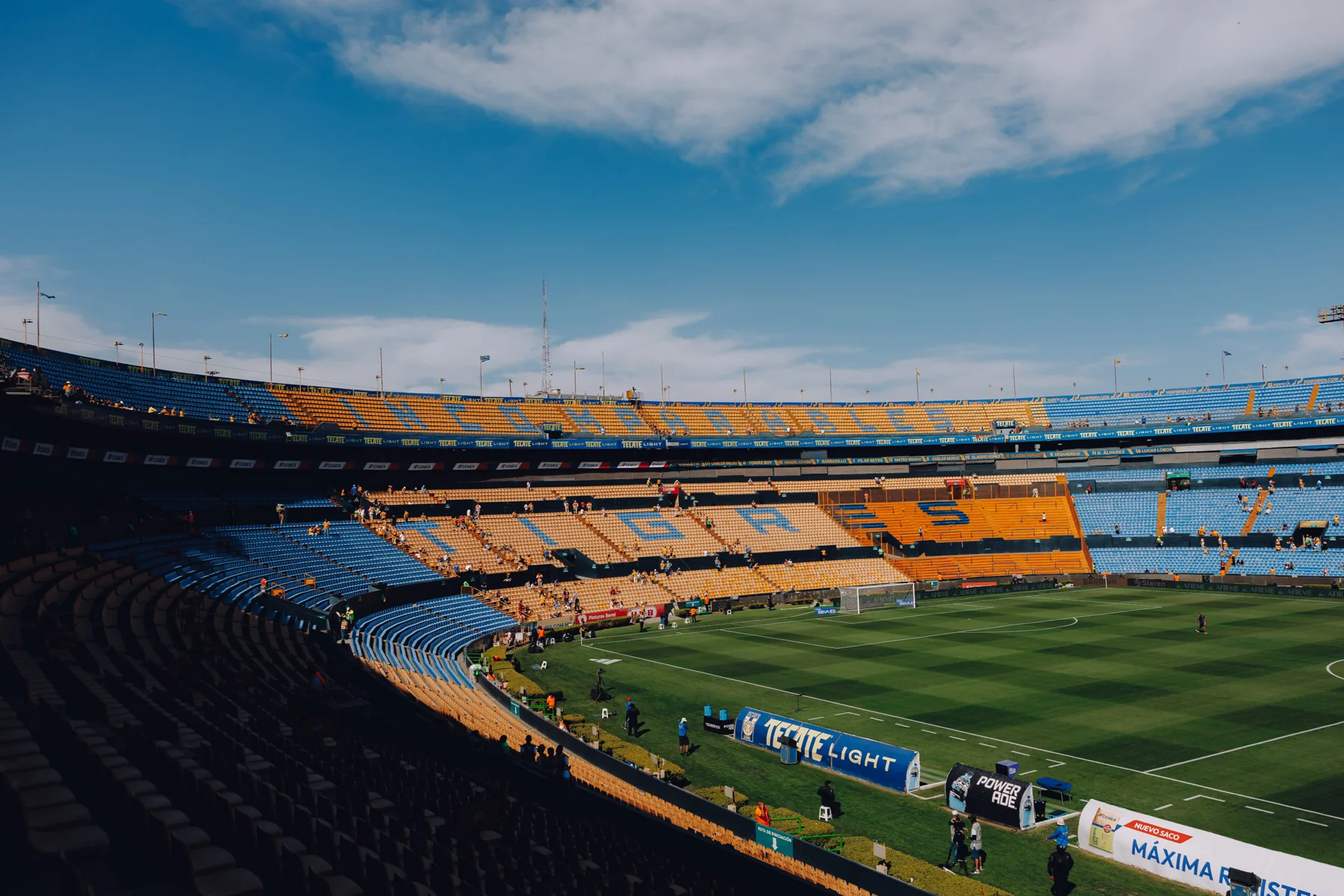
Tigres advises visitors to carry both Fan ID and ticket, enter through the gate printed on the credential and arrive early; its Estadio Universitario page says doors open three hours before kickoff. That timing is a helpful example, not a promise for other venues. Use the home club's match notice for the live gate time, parking availability and transit advice.
On matchday, charge the phone fully, pack a battery, confirm the ticket opens without hunting through email and keep the Fan ID QR accessible. Save the seat section and gate separately in case the app is slow. Allow extra time for traffic, security and identity checks. If driving, verify that parking is actually included or sold; otherwise choose a documented public-transport or drop-off plan.

Finally, check weather, kickoff and broadcast status before departure. If a last-minute issue makes travel impossible, use the provider's supported transfer or resale option while it remains open. The Liga MX USA TV schedule is the fallback for viewing information, but the home club's alert remains the authority for entry and venue changes.
Use this 2026 checklist before you pay and before you leave
The durable rule is simple: use live club information for the sale and a prepared official credential at the gate. Prices, providers, dates and inventory can change; the verification process should not. The two lists below separate purchase decisions from matchday preparation so a missing detail can be fixed at the right time.
Purchase checklist
- □ Start at the verified home-club ticket page.
- □ Match teams, men's competition, date and venue.
- □ Confirm section, row, quantity and adjacent seats.
- □ Read the total in pesos, including disclosed fees.
- □ Check delivery timing, order limits and refund terms.
- □ Use official resale/transfer only when enabled.
For a future fixture, verify that the matchup is confirmed before buying travel around it. The site's current schedule provides the competition context, while the home club and seller control the ticket. Save the order details and support route, but keep every barcode private.
Matchday checklist
- □ Reconfirm kickoff and stadium on the day.
- □ Open the ticket in the correct app/account.
- □ Prepare adult Fan ID and required identification.
- □ Charge the phone and carry a battery.
- □ Check bag rules, gate and transport or parking.
- □ Arrive on the venue's published early-entry plan.
Use games today for the current kickoff and score state, and the TV schedule if plans change. This guide's 2026 examples explain how club sales work; a live home-club notice always overrides an archived example when it names a new seller, venue, window or entry requirement.
Comments
Comments are reviewed before publication.
Sign in with Google to comment. Spam, abusive content, personal information and policy-violating links are not published.
Sign in with Google to comment or reply.
Loading comments…